
Find the booking you need
Start with the information your business already uses.
Bookings / Bookings
Bookings
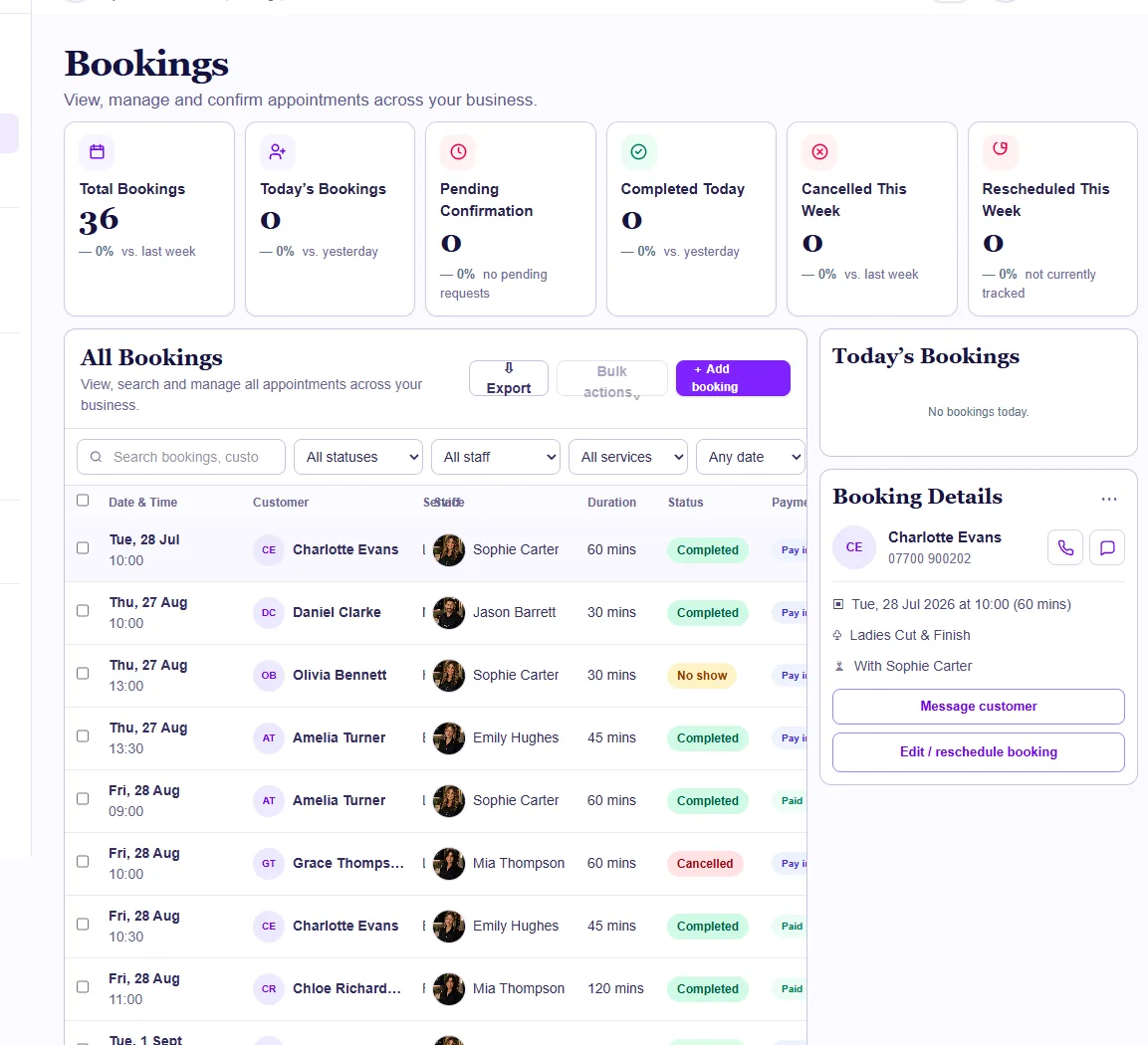
See upcoming appointments, check their details and keep confirmed, completed and cancelled bookings clear.
A look inside Slota
A screenshot of Slota using a sample business. No fictional controls or misleading illustrations.
In practice
No complicated setup story. Just the practical steps involved.
Start with the information your business already uses.
Keep the action in your Slota workspace.
Everything stays connected with your booking tools.
Keep exploring
Try Slota free for 30 days. Set up your services, share your booking link and see how it fits your business.
We use cookies
Slota uses essential cookies to keep the site working. With your permission, we also use Google Analytics cookies to understand how people use Slota and help us improve it. Cookie policy